Lecture handouts and course material, read aloud from a photo — clear the pile by ear.
Class handouts, distributed course material, seminar printouts. You mean to read them, but the stack only grows. YOM turns paper into audio from a photo, and AI refines even bullet lists and table fragments into flowing prose. Follow the text on screen while you listen and skimming stops being the default — so you can clear the pile one page at a time, starting today.

Paper handouts are easy to put off.
They pile up unread
Handouts go into the folder “to read later” — and the next batch arrives first.
Skimming counts as reading
A quick glance becomes “done,” but nothing of the content stays with you.
No time to retype
You’d like the paper as text to keep and search, but typing it out is out of the question.
How it works
Reading handouts with YOM
Snap the pages
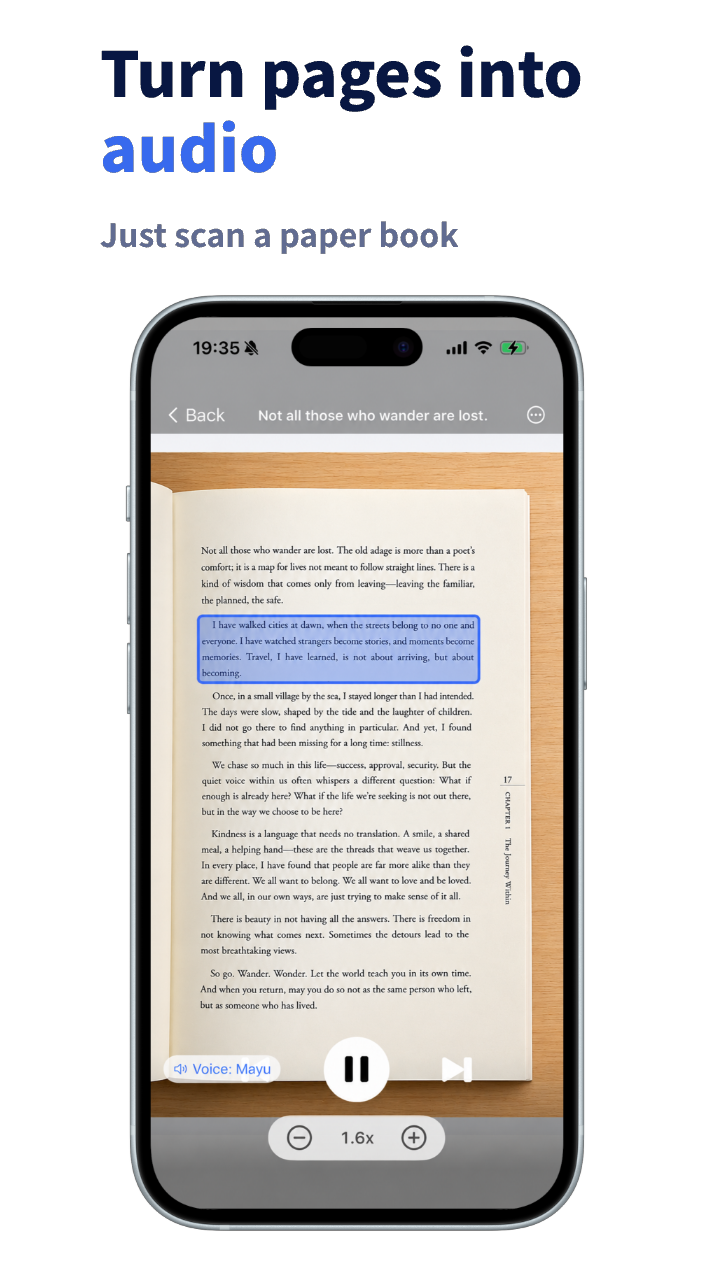
Handouts and printouts scan with one shot each — skew auto-corrected, multiple pages in a row.
AI refines them into speech
Even bullet-heavy handouts become connected, listenable prose. Figures are excluded from narration automatically.
Read through with eyes and ears
Follow the narration to the end of the stack. Everything is text now, so revisiting it later is easy.
What you can snap
Handouts or printouts — snap them and they read.
Paper comes in every shape and layout. Bullet-heavy handouts, table-dense printouts — snap them and AI refines them into flowing prose. Non-paper material flows in the same way.
Lecture handouts
Handouts mixing bullets and headings become prose you can listen through, connected by AI.
Class printouts
Just snap what was handed out in class or seminar. Clear the whole backlog by ear.
Seminar material
Training and seminar decks get a first pass by ear during commutes or chores.
Web articles & screenshots
Non-paper material, same flow. Read straight from an article URL or a screenshot.
Features that matter for handouts
Camera scan
Skew correction, multi-page capture — paper as it is.
AI Scan refine
Bullet and table fragments become prose. Handouts benefit most.
Web articles & screenshots
Article URLs, screenshots — non-paper material, same flow.
Adjustable speed
Just checking? Read through at 2.0×; take dense sections at 1×.
Common questions about reading handouts
How do I turn a handout or course material into audio?
Just photograph the pages with YOM’s camera. OCR reads the text, AI refines bullet lists and table fragments into flowing prose, and a natural AI voice reads it aloud. No retyping, no PDFs.
Can it read bullet-heavy handouts?
Yes. AI Scan connects bullet points and heading fragments by context into prose you can listen through, then reads it aloud. The more fragmented the handout, the more the refinement helps.
What happens to figures and graphs?
Figures and graphs are excluded from narration automatically, so it reads the body text. You can still check the figures on the page image, so nothing gets lost.
Can I bring in non-paper material too?
Yes — from an article URL or a screenshot. It flows the same way as a paper handout: follow the text on screen while you listen.
Can I try it for free?
The app is free to download, and your first sign-up includes a one-time grant of 10,000 tokens of AI voice. Snap a few of your own handouts and see how reading with eyes and ears feels.
Clear the pile today.
Snap it and read along. Paper stops becoming a “read later” stack. Start with the page on top.

YOM
YOM — Yield Own Mind
Developed by Akira Ishikawa
Pricing and features on the App Store are always current.