Close-read papers and technical material with a pacemaker for your ears.
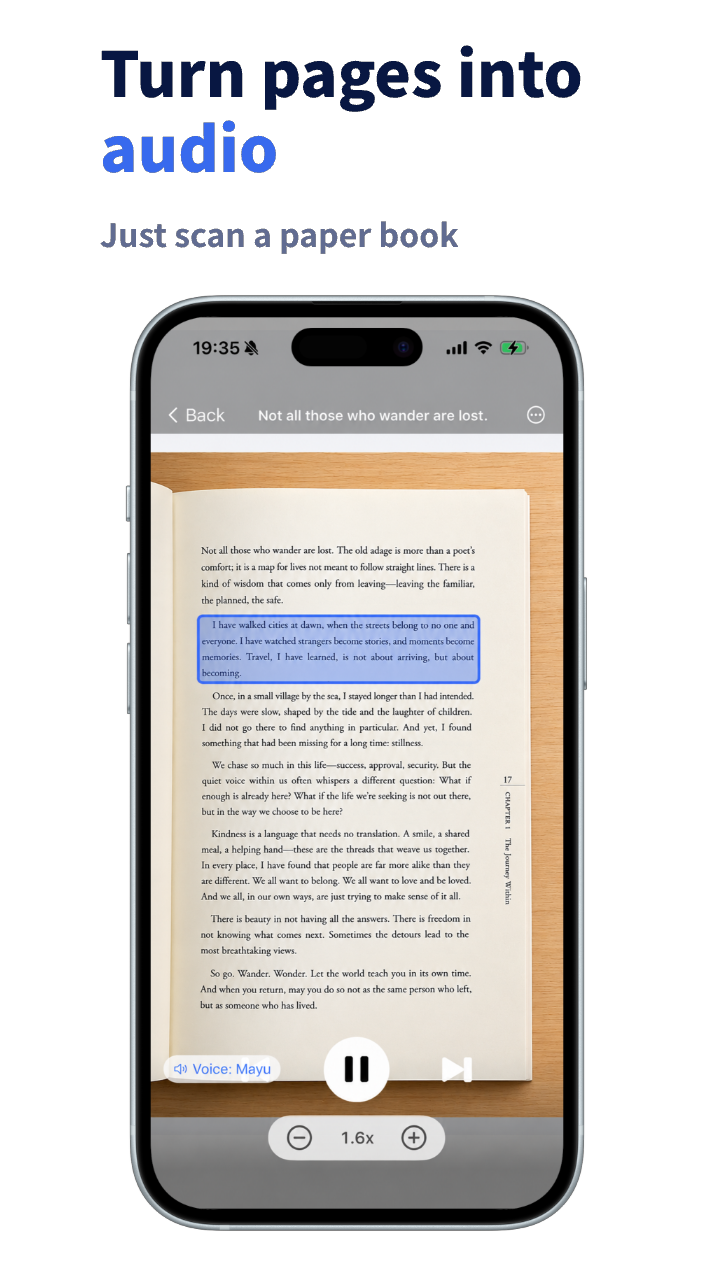
The denser the text, the more your eyes stall, backtrack, and stop. YOM’s narration moves forward at a steady pace — follow the text with your eyes while listening, and the flow of reading holds even through hard material. Paper papers come in through the camera, online sources from a URL, foreign-language texts with a translation alongside. Move the paper that stalled forward, starting today.

Dense text doesn’t yield to eyes alone.
Stuck on the same paragraph
High-density passages stop your eyes, and soon you’re circling the same lines — thirty minutes for a few pages.
The reading list keeps growing
Papers and technical documents pile up faster than you can find time to read them closely. Only the “read later” folder gets thicker.
Foreign-language sources weigh double
Difficulty compounds with the language barrier, and a single paper takes far too long — so it gets put off before you start.
How it works
Close reading with YOM
Bring the material in
Paper through the camera, online sources through article extraction from a URL. AI excludes figures and formulas from narration automatically.
Read along at a steady pace
The audio keeps moving and your eyes follow — no reread loops. If you lose the thread, jump back and listen again.
Slow down and repeat the hard parts
Take key or difficult sections at 0.5–1.0× and loop them with repeat playback until they land.
What you can read
Papers, technical books, foreign sources — no material is off-limits.
Academic papers, thick technical books, English preprints. Snap the paper or pull online sources from a URL, and they all flow into close reading the same way.
Academic papers
Import a PDF or page and read the body at a steady pace, with figures and formulas excluded.
Technical books
Snap the chapter you want from a thick reference and read it by ear — a whole volume becomes easier to finish.
Foreign-language sources
Check meaning with translation as you read, so the language barrier never stalls the pace.
Online sources
Preprints and technical articles: extract the body from a URL and read it aloud. Non-paper, same flow.
Features that matter for close reading
Figure auto-exclusion
Narration sticks to the body text; check figures and formulas on the page image.
Translation (7 languages)
Read a foreign paper while checking the meaning in yours.
Adjustable speed
Slow through the hard parts at 0.5–1.0×, fast through the familiar.
Repeat playback
Difficult chapters earn a second and third listen.
Common questions about close-reading papers
How do I turn a paper or technical document into audio?
Photograph the pages with YOM’s camera for paper, or paste a URL for online sources. OCR and article extraction read the body, AI cleans up figure and formula fragments, and a natural AI voice reads it aloud. No retyping, no PDFs.
What happens to figures and formulas?
Figures and formulas are excluded from narration automatically, so it reads the body text. You can still check them on the page image, so nothing gets lost.
Can it read papers in English?
Yes. Translation covers seven languages including English, so you can follow the original with eyes and ears while checking the meaning in your own language — the barrier stops stalling your reading.
What should I do when it’s too hard to take in?
Drop key sections to 0.5–1.0× and follow the text on screen while you listen. Loop the parts you haven’t grasped with repeat playback, and they settle in gradually.
Can I try it for free?
The app is free to download, and your first sign-up includes a one-time grant of 10,000 tokens of AI voice. Bring in a few pages of the paper that stalled and see how reading with eyes and ears feels.
Finish the paper that stalled.
Bring it in, read along, and repeat the hard parts. Reading with eyes and ears keeps even dense material moving. Start with the one that stalled.

YOM
YOM — Yield Own Mind
Developed by Akira Ishikawa
Pricing and features on the App Store are always current.